Leveraging Microsoft Dynamics 365 + the Power Platform
Leveraging Microsoft Dynamics 365 + the Power Platform
June 1st, 2026
5 min read
Connecting Microsoft Dynamics 365 with the Microsoft Power Platform enables organisations to unlock the full value of their business data. Together, these technologies support data driven decision-making, process automation, and the creation of bespoke business applications.
This powerful integration allows organisations to streamline operations, improve productivity, and respond more effectively to changing business needs.
In this blog, we explain what Dynamics 365 and the Power Platform are, how they work together, and how organisations can use them to solve real business challenges.
What Is Microsoft Dynamics 365?
Microsoft Dynamics 365 is a suite of cloud-based business applications designed to help organisations manage customer relationships and operational processes.
The core CRM applications include:
Additional applications such as Field Service, Project Operations, and Customer Voice extend the platform further, allowing organisations to manage end-to-end processes in one connected system.
Dynamics 365 is:
- Fully customisable
- Highly scalable
- Built on Microsoft Dataverse, ensuring data is secure, centralised, and consistent
This flexibility allows businesses to tailor the platform to their specific requirements and add functionality as their needs evolve.
What Is the Microsoft Power Platform?
The Microsoft Power Platform is a suite of low code tools that enable organisations to analyse data, automate processes, and build custom applications quickly and efficiently.
The Power Platform includes:
- Power BI – Business analytics and reporting
- Power Apps – Low code app development
- Power Automate – Workflow automation
- Power Pages – Low code website and portal creation
- Microsoft Copilot Studio – AI powered chatbots and virtual agents
The Power Platform enables organisations to build bespoke solutions around their workflows, processes, and data. It helps bridge gaps where traditional CRM functionality may not fully meet business requirements.
Interested in learning more about the Power Platform? Dive into our blog: Top 10 benefits of Microsoft’s Power Platform
How Dynamics 365 and the Power Platform Work Together
When combined, Dynamics 365 and the Power Platform create a connected business ecosystem. Data stored in Dataverse can be analysed, automated, and extended using Power Platform tools – without duplication or complex integrations.
This enables organisations to:
- Extend CRM functionality without heavy development
- Solve a wider range of business challenges
- Adapt quickly as requirements change
Power BI + Dynamics 365
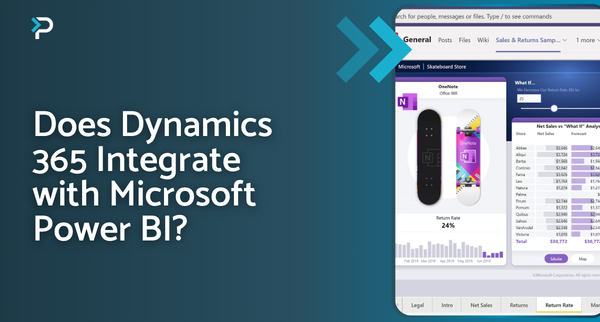
Integrating Power BI with Dynamics 365 allows organisations to gain deeper insights into their CRM and operational data.
Key benefits:
- Access across the business – Share role-based dashboards securely
- Interactive dashboards and reports – Drill down into real-time metrics
- Mobile accessibility – View dashboards on mobile, tablet, or desktop
Learn more about the benefits of integrating Dynamics 365 with Power BI in our blog: Does Dynamics 365 Integrate with Microsoft Power BI?
Common Power BI use cases
Sales
- Analyse sales cycle duration
- Measure individual and team performance
- Track lead‑to‑opportunity conversion rates
- Build pipeline forecasts by time, product, region, or salesperson
Customer Service
- Monitor case volumes and trends
- Measure performance against KPIs
- Analyse customer satisfaction
- Review case resolution times
Marketing
- Evaluate campaign effectiveness and ROI
- Track engagement levels
- Analyse lead conversions
- Identify high performing audiences
Power Automate + Dynamics 365
Power Automate enables organisations to automate routine tasks and business processes across Dynamics 365 and hundreds of other applications.
Key benefits:
- Improved productivity – Reduce manual effort and repetitive tasks
- Cross system automation – Integrate with Microsoft and third‑party apps including Outlook, Teams, SharePoint, Docusign, Mailchimp, and more
- Mobile access – Manage workflows on the go
- Template library – Start quickly with prebuilt automation templates
Example use cases
Approval processes
Automate approvals for quotes, invoices, or leave requests – improving visibility, compliance, and auditability.
Automated notifications
Trigger emails or alerts when records are updated, ensuring no critical information is missed.
Power Apps + Dynamics 365
Microsoft Power Apps allows organisations to build custom applications that connect directly to Dynamics 365 and other data sources.
These apps are ideal when:
- Off-the-shelf solutions don’t meet requirements
- Processes need to be simplified or mobilised
- Bespoke user experiences are required
Check out some of the Business Benefits of Microsoft Power Apps in our blog!
Example Power Apps solutions
Employee holiday management
- Submit and approve leave requests
- Track balances and statuses
- Access via mobile devices
Expense management
- Submit and approve expenses
- Upload receipt images
- Track claim history and status
Power Pages + Dynamics 365
Power Pages enables organisations to create secure, responsive websites and portals that connect directly to Dynamics 365 data.
Common scenarios include:
- Customer self-service portals
- Community portals
- Booking and registration pages
- Employee self-service
- Internal IT helpdesks
Power Pages allows organisations to extend CRM data access securely to external users, improving engagement and efficiency.
Power Pages can benefit your organisation in many ways, check out our blog to find out more: 10 Key benefits of Microsoft Power Pages
Get in Touch
If you’d like to learn more about how Microsoft Dynamics 365 and the Power Platform can work together to support your organisation, we’d be happy to help.
Get in touch by emailing info@pragmatiq.co.uk or calling 01908 038110. Alternatively, complete our contact form and a member of our team will be in touch shortly.
Want to keep in touch?
Sign up to our newsletter for regular updates.
"*" indicates required fields