

Microsoft Power BI
Turn data into actionable insights, create meaningful reports and make more informed business decisions with Microsoft’s intelligent analytics platform.




















What is Microsoft Power BI?
Microsoft Power BI is Microsoft’s business intelligence and analytics platform, designed to help organisations transform data into meaningful insights. By connecting data from multiple sources and presenting it through interactive dashboards and reports, Power BI enables teams to make more informed decisions, identify trends and gain greater visibility across the business.
At Pragmatiq, we tailor Microsoft Power BI to your unique reporting requirements, data sources and business objectives, ensuring the platform delivers valuable insights and supports the way your organisation works.
Are reporting challenges limiting business performance?
If any of the following challenges sound familiar, Power BI could help your organisation create a more complete view of its data, improve reporting efficiency and support more informed decision-making.
Let’s talk about the reporting challenges you’re facing- Reporting relies heavily on spreadsheets and manual data manipulation.
- Data is spread across multiple systems, making it difficult to gain a complete picture of business performance.
- Teams spend more time creating reports than analysing results.
- Reports quickly become outdated and fail to provide real-time visibility.
- Decision-makers lack access to accurate, timely information.
- Forecasting and strategic planning are difficult due to limited data visibility.
What can you achieve with Power BI?
Power BI helps organisations move beyond static reporting and gain deeper insights into business performance through connected, real-time analytics.
AI-powered insights and decision-making
Power BI combines Microsoft Copilot, AI-powered analytics and intelligent reporting capabilities to help organisations uncover insights faster, identify trends and make more informed business decisions.
- Microsoft Copilot: Explore data, generate visualisations and create reports using natural language prompts, helping teams gain insights more efficiently.
- AI-powered analytics: Identify patterns, trends and opportunities within your data through advanced analytics and AI-driven insights.
- Extend AI with Copilot Studio: Create custom AI agents that use business data and insights to support reporting, decision-making and operational processes.
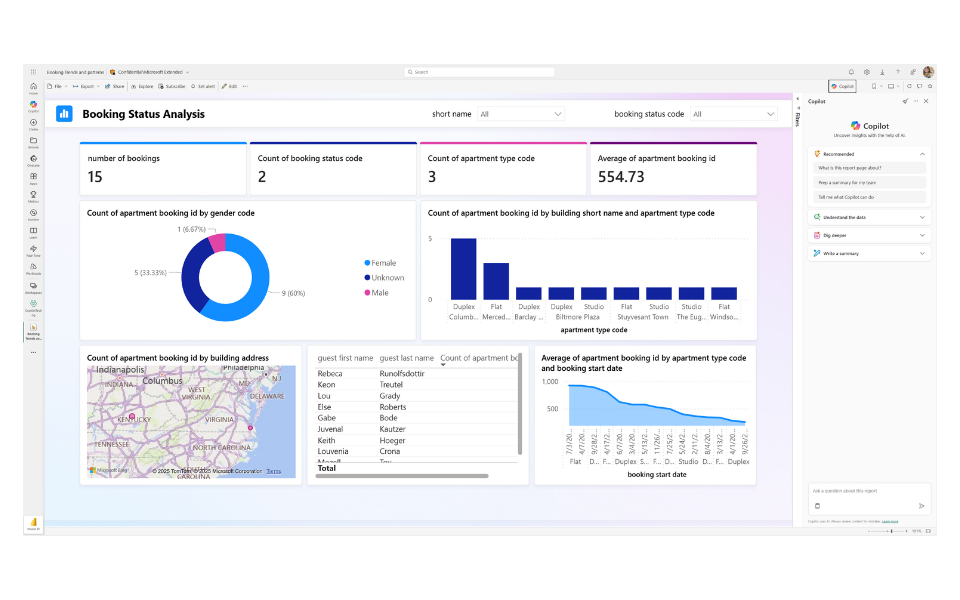
Key features of Microsoft Power BI
Power BI provides a range of capabilities that help organisations connect data, create interactive reports and transform information into meaningful business insights.
- Data connectivity: Connect data from multiple sources, including Microsoft applications, third-party systems and databases.
- Interactive dashboards: Create dynamic dashboards that bring together key metrics and insights in a single view.
- Data visualisation: Present complex information through intuitive visualisations that make data easier to understand and act on.
- Automated reporting: Reduce manual effort with reporting that updates automatically as data changes.
- Real-time insights: Monitor performance and respond more quickly with up-to-date business information.
- Secure and governed platform: Protect business-critical information with enterprise-grade security and governance capabilities.
- Mobile access: Access dashboards and reports from desktop, tablet and mobile devices.
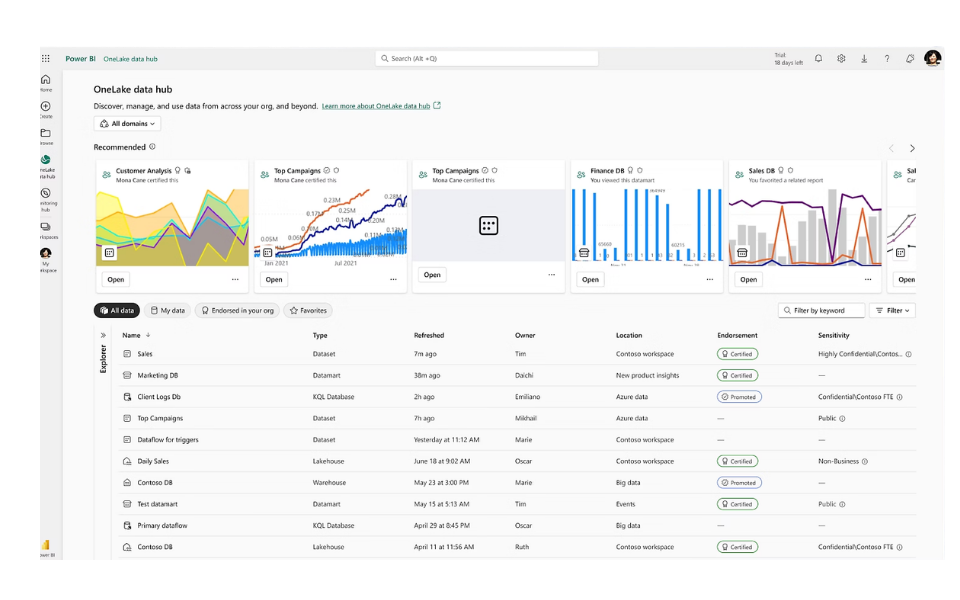
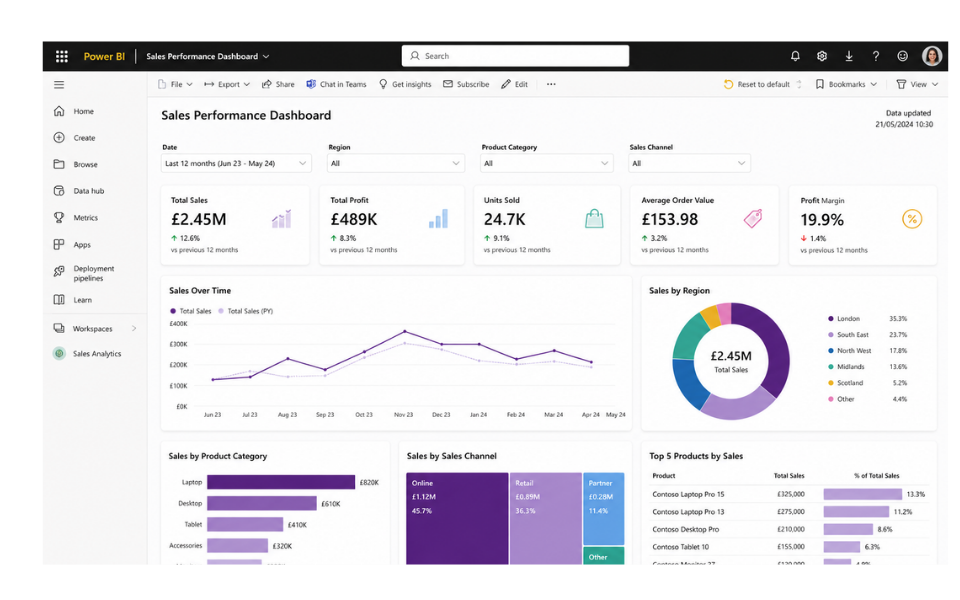
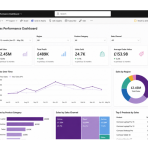
See Power BI in action



Power BI consultancy & implementation services
Whether you’re implementing Power BI for the first time, expanding your reporting capabilities or looking to optimise an existing environment, Pragmatiq can help.
FIND OUT MORE ABOUT OUR CONSULTANCY PACKAGEPower BI Consultancy
Whether you’re implementing Power BI for the first time, expanding your reporting capabilities or looking to optimise an existing environment, Pragmatiq can help.
Power BI Implementation
We design and deploy tailored Power BI solutions that align with your business objectives, reporting requirements and long-term growth plans.
On-going optimisation and support
As reporting requirements evolve, we continue to support your organisation through training, enhancements and ongoing optimisation services.
Why choose Pragmatiq as your Power BI partner?
At Pragmatiq, we tailor Microsoft Power BI to your unique reporting requirements, data sources and business objectives, ensuring the platform works in a way that supports your teams and helps you get more value from your data.
- Business-first approach: We focus on your reporting challenges, objectives and data requirements to ensure the solution aligns with your business needs.
- Tailored solutions: Designed around your unique processes, reporting requirements and data sources.
- Expert consultancy and support: Strategic guidance and ongoing support to help you maximise adoption and get the most value from the platform.
- Scalable and flexible: Reporting solutions that can evolve alongside your organisation as requirements change.
- Long-term partnership: From consultancy and implementation through to optimisation and continuous improvement, we’re with you every step of the way.

Frequently Asked Questions
Power BI includes Microsoft Copilot and AI-powered analytics capabilities that help users explore data, generate visualisations and uncover insights more efficiently. Organisations can also extend AI capabilities through Microsoft Copilot Studio.
Yes. Power BI can connect to Microsoft applications, databases, cloud platforms and hundreds of other data sources, helping organisations create a unified view of business information.
Yes. Power BI can support organisations of all sizes, from small businesses looking to improve reporting through to large enterprises requiring advanced analytics and governance capabilities.
Power BI can be used to create operational, financial, sales, marketing and management reports, as well as interactive dashboards that provide visibility into key business metrics and performance indicators.

Speak to a Power BI expert
Please complete the form below and a member of our team will get back to you shortly.
"*" indicates required fields