Does Dynamics 365 Integrate with Microsoft Power BI?
Does Dynamics 365 Integrate with Microsoft Power BI?
April 14th, 2026
6 min read
Yes, Dynamics 365 integrates seamlessly with Microsoft Power BI.
In fact, this is one of the most powerful combinations in the Microsoft ecosystem, enabling organisations to turn CRM and operational data into real-time dashboards, reports, and actionable insights.
While Power BI can connect to many different data sources, its integration with Dynamics 365 (and Microsoft Dataverse) allows businesses to build a fully connected reporting environment where data is continuously updated and embedded into everyday workflows.
This blog explains how the integration works, why it matters, and the business benefits it delivers.
What is Microsoft Power BI?
Microsoft Power BI is a business intelligence and analytics tool that transforms raw data into interactive dashboards and reports.
It allows organisations to connect to multiple data sources, including:
- Excel spreadsheets
- Databases
- Cloud applications
- On-premise systems
- Microsoft Dynamics 365
Once connected, Power BI enables users to visualise data through charts, graphs, and dashboards that can be filtered, drilled into, and shared across the organisation.
The result is a single, visual layer of truth that helps teams understand performance and make better decisions.
How does Power BI integrate with Dynamics 365?
Power BI integrates with Dynamics 365 in several ways, depending on how organisations want to use their data.
- Native integration with Dataverse
Dynamics 365 stores data in Microsoft Dataverse, which Power BI can connect to directly. This enables real-time reporting across sales, service, marketing, and operational data.
- Embedded dashboards within Dynamics 365
Power BI dashboards can be embedded directly into Dynamics 365 applications, meaning users can view reports without switching systems.
This creates a seamless experience where operational activity and reporting sit side by side.
- Pre-built and custom reporting models
Organisations can use:
- Pre-built Power BI templates for Dynamics 365
- Or build fully customised dashboards tailored to business requirements
This flexibility allows both rapid deployment and advanced reporting scenarios.
See it in action
This example shows how Power BI dashboards can be embedded directly within Dynamics 365, giving users real-time visibility of performance without leaving their CRM environment.
Why integrate Power BI with Dynamics 365?
Integrating Power BI with Dynamics 365 transforms how organisations use data.
Instead of relying on static reports or manual exports, businesses gain access to live, interactive insights directly from their CRM and operational systems.
Key benefits include:
- Real-time visibility of business performance
- Improved decision-making across teams
- Reduced reliance on manual reporting in Excel
- A single source of truth for operational and customer data
- Faster identification of trends, risks, and opportunities
Business Benefits of Dynamics 365 and Power BI integration
- Real-time reporting and insights
Power BI provides live dashboards powered by Dynamics 365 data, enabling leaders to monitor performance as it happens rather than relying on outdated reports.
- Improved decision-making
By visualising CRM and operational data in one place, organisations can make faster, more informed decisions based on accurate and consistent information.
- A unified view of business performance
Instead of data being spread across multiple systems, Power BI brings everything together into a single reporting layer, improving clarity and alignment across teams.
- Reduced manual reporting effort
Automated dashboards remove the need for manual data exports and spreadsheet-based reporting, saving time and reducing the risk of errors.
- Deeper operational and customer insights
Organisations can analyse:
- Sales pipeline performance
- Customer service trends
- Marketing campaign effectiveness
- Financial and operational KPIs
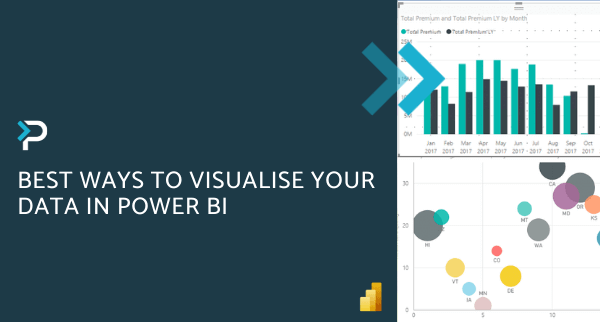
This helps teams move from reactive reporting to proactive decision-making. Discover the best ways to visualise your data with Power BI in our blog.
Common use cases for Power BI and Dynamics 365
Sales performance dashboards: Track pipeline value, conversion rates, and forecast accuracy in real time. This helps sales leaders identify bottlenecks in the pipeline and focus efforts on the deals most likely to close.
Customer service reporting: Monitor case volumes, resolution times, and customer satisfaction trends. This enables service teams to improve response times and identify recurring issues affecting customer experience.
Financial and operational reporting: Analyse revenue trends, cost performance, and operational efficiency across the business. This gives finance and operations teams a clearer view of performance drivers and areas for improvement.
Executive dashboards: Provide leadership teams with a high-level view of organisational performance across departments. These dashboards bring together key KPIs to support faster, more informed strategic decision-making.
Want to learn more about unlocking business insights with Power BI? Check out our blog!
Power BI licensing and Dynamics 365
Power BI is licensed separately from Dynamics 365.
There are three main licensing options:
- Power BI Free
- Power BI Pro
- Power BI Premium
All options allow users to connect to data, but sharing, collaboration, and advanced features depend on the licence type.
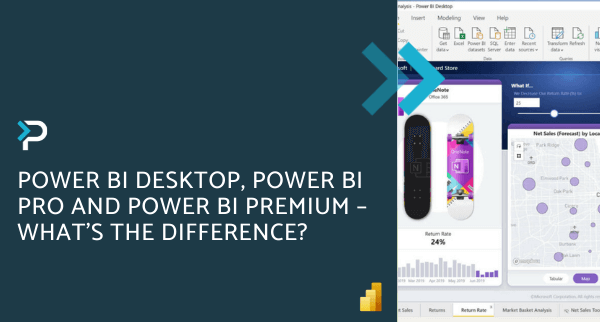
In some Microsoft 365 plans (such as Enterprise E5), Power BI capabilities are included, but in most cases, organisations will need to purchase Power BI licences separately. Read more about the different Power BI licences in our blog.
Why this integration matters for modern organisations
The combination of Dynamics 365 and Power BI enables organisations to move beyond static reporting and into a fully data-driven way of working.
Instead of asking “what happened?”, teams can understand:
- Why it happened
- What is happening now
- What is likely to happen next
This shift supports better planning, improved efficiency, and stronger business outcomes. Check out our ‘Microsoft 365 + Dynamics 365: The Perfect Pairing‘ blog to uncover more integrations.
Unlock the value of Dynamics 365 and Power BI
Integrating Power BI with Dynamics 365 is not just a reporting enhancement, it is a step towards creating a connected, insight-driven organisation.
At Pragmatiq, we help organisations design and implement Microsoft-based reporting solutions that turn operational and CRM data into meaningful, actionable insights.
If you are exploring how to improve reporting and analytics within Dynamics 365, we can help you build a scalable and effective approach. Get in touch by emailing us at info@pragmatiq.co.uk or calling us on 01908 038110. Alternatively, fill out our contact form and a member of our team will be in touch shortly.
Want to keep in touch?
Sign up to our newsletter for regular updates.
"*" indicates required fields