

Microsoft Dynamics 365 Field Service
Optimise field operations, improve technician productivity and deliver more efficient, connected customer service with Dynamics 365 Field Service.



















What is Microsoft Dynamics 365 Field Service?
Microsoft Dynamics 365 Field Service helps organisations manage and optimise field service operations by connecting scheduling, technicians, work orders, assets and customer information within a single platform.
By giving field teams access to the information they need and improving visibility across service operations, Dynamics 365 Field Service helps organisations improve efficiency, increase technician productivity and deliver more consistent customer experiences.
At Pragmatiq, we tailor Dynamics 365 Field Service to your unique service processes, operational requirements and business objectives, ensuring the platform works in a way that supports your teams and the way your organisation delivers field service.
Are these field service challenges holding your team back?
If any of the following challenges sound familiar, Dynamics 365 Field Service could help your organisation improve service efficiency, increase visibility and deliver more consistent customer experiences.
Let’s talk about the challenges you’re facing- Scheduling the right technician can be difficult, leading to inefficient resource utilisation and delays.
- Field teams lack access to the information they need, making it harder to resolve issues efficiently while on-site.
- Disconnected systems and manual processes create additional administration and limit visibility across service operations.
- Reactive maintenance leads to unnecessary downtime, making it harder to manage assets and service requirements proactively.
- Limited visibility into inventory and parts can delay jobs and impact service delivery.
- Service leaders lack real-time operational visibility, making it difficult to monitor performance and identify opportunities for improvement.
What can you achieve with Dynamics 365 Field Service?
Dynamics 365 Field Service helps organisations optimise field operations, improve technician productivity and deliver more efficient, consistent customer experiences by connecting scheduling, work orders, assets and service information.
AI built into field service delivery
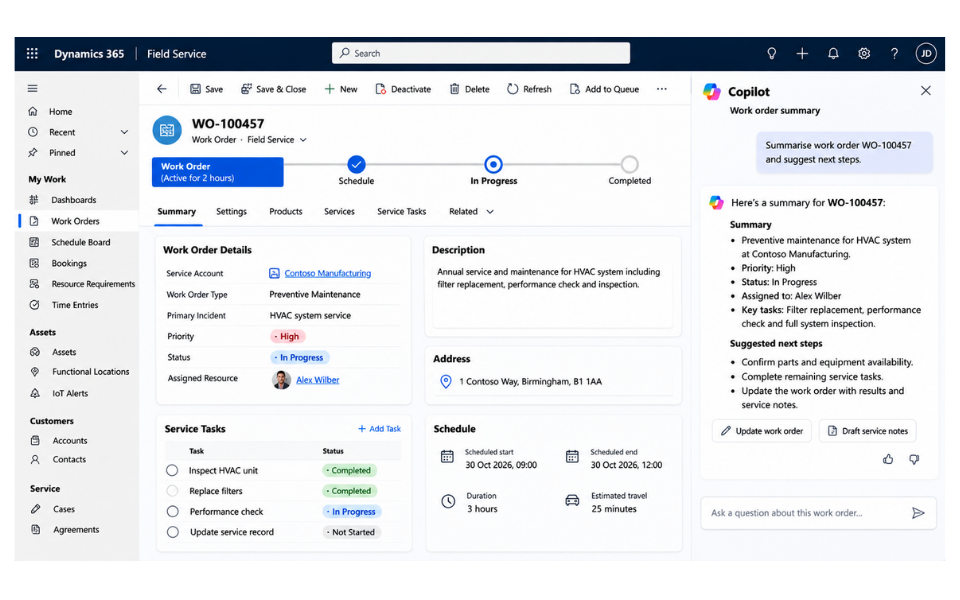
Dynamics 365 Field Service combines Microsoft Copilot, AI-powered capabilities and intelligent automation to help teams reduce manual effort, access information faster and deliver more efficient field service.
- Microsoft Copilot: Summarise work orders, answer questions using natural language and help technicians and dispatchers quickly access relevant service information. Microsoft also supports natural-language work order updates in its mobile experience.
- AI-powered field service: Create draft inspection templates from PDFs or images, receive form-fill suggestions and surface key information from service records, helping reduce administration and support technicians in their day-to-day work.
- Extend AI with Copilot Studio: Tailor Copilot experiences with additional organisational knowledge and actions to support your unique field service processes and requirements. Microsoft documents Copilot Studio customisation for Field Service, including adding knowledge and actions using flows, connectors and Dataverse plug-ins.
Key features of Dynamics 365 Field Service
Dynamics 365 Field Service brings together the capabilities organisations need to manage work orders, technicians, assets and service operations within a connected platform.
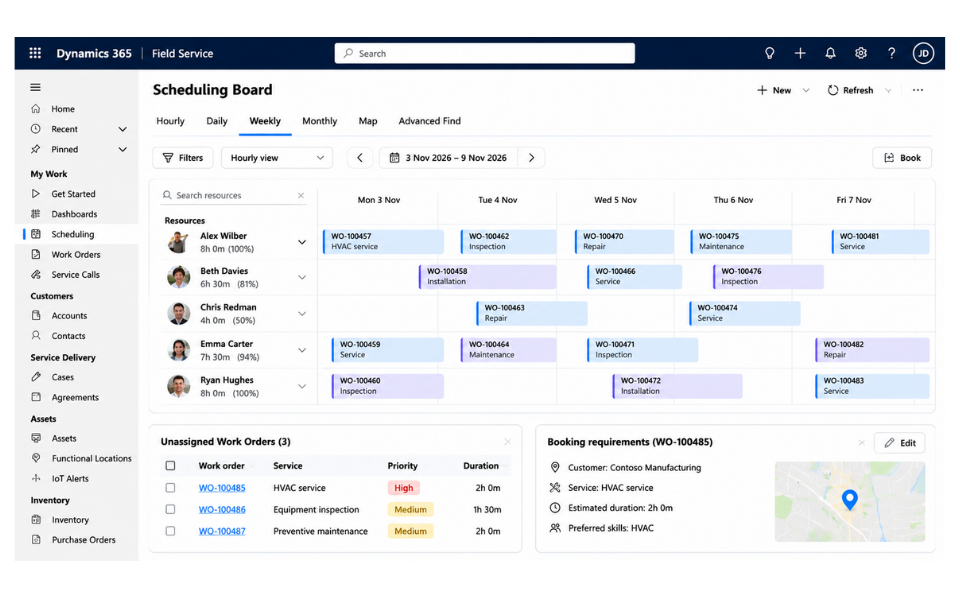
- Intelligent scheduling and dispatch: Schedule and assign technicians based on availability, location and service requirements.
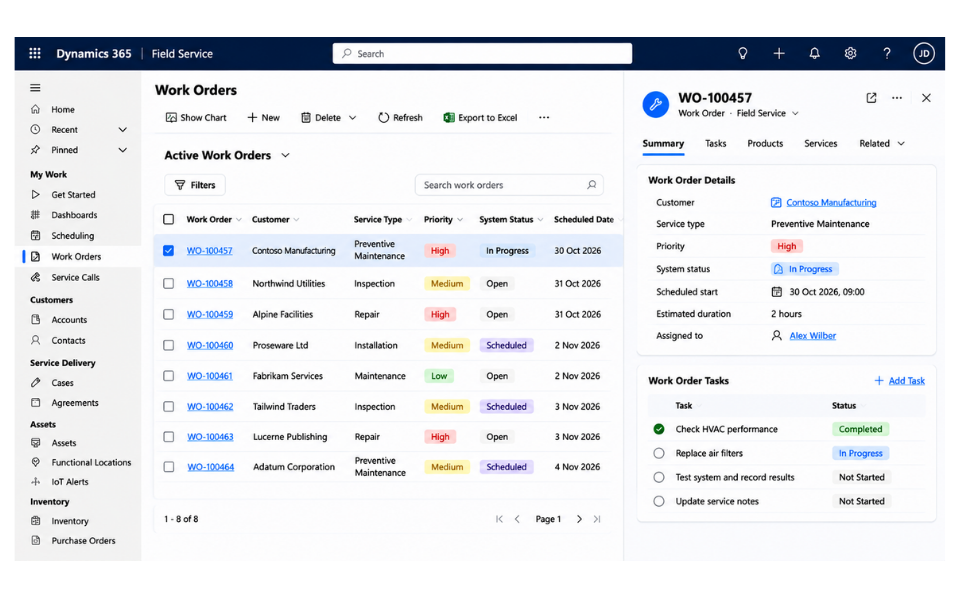
- Work order management: Create, manage and track work orders throughout the service lifecycle, giving teams greater visibility into service activity.
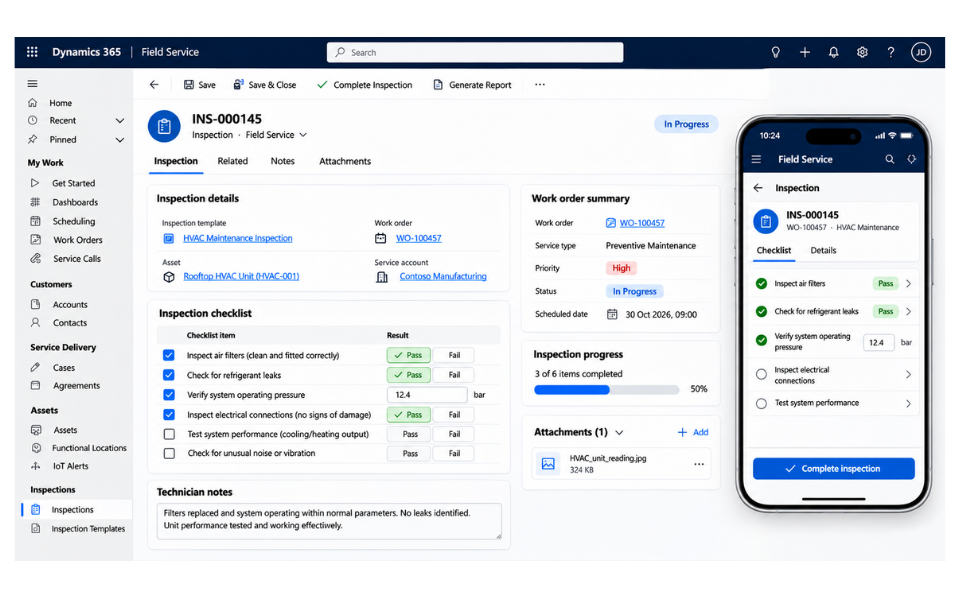
- Mobile field service: Give technicians access to work orders, customer information and service details while working in the field.
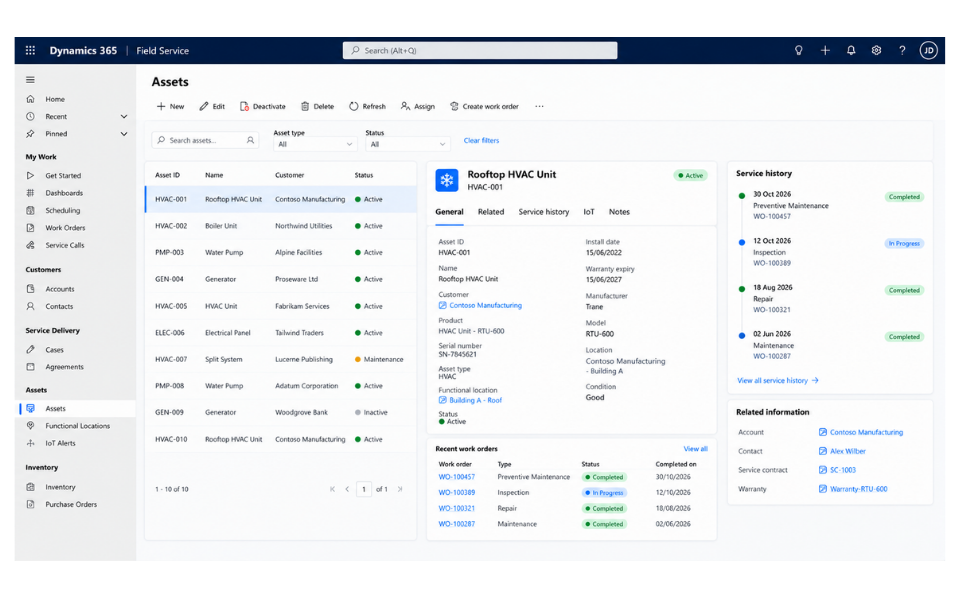
- Asset management: Maintain visibility of customer assets, service history and maintenance requirements to support more informed service delivery.
- Inventory management: Track parts, products and inventory across locations to help technicians access the resources required to complete jobs.
- Inspections: Create and manage structured inspections to help technicians capture consistent information during service visits.
- Reporting and analytics: Monitor field service activity and operational performance to identify trends and support more informed decision-making.
- Connected Microsoft ecosystem: Integrate Field Service with other Dynamics 365 applications and the wider Microsoft Power Platform to support connected business processes.
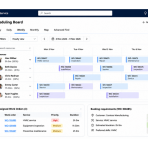
See Dynamics 365 Field Service in action
Discover how organisations are improving field operations, optimising engineer scheduling and gaining greater visibility with Microsoft Dynamics 365 Field Service.



Why choose Pragmatiq as your Dynamics 365 Field Service partner?
At Pragmatiq, we tailor Dynamics 365 Field Service to your unique service processes, operational requirements and business objectives, ensuring the platform works in a way that supports your teams and how you deliver field service.
- Business-first approach: We focus on your field service challenges, processes and objectives to ensure the solution aligns with the way your organisation works.
- Tailored solutions: Designed around your unique scheduling, work order, technician and service management requirements.
- Expert consultancy and support: Strategic guidance and ongoing support to help you maximise adoption and get the most value from the platform.
- Scalable and flexible: A solution that can evolve alongside your field service operations as requirements and service demands change.
- Long-term partnership: From consultancy and implementation through to optimisation and continuous improvement, we’re with you every step of the way.
Microsoft Dynamics 365 Field Service FAQs
Dynamics 365 Field Service provides scheduling and resource management capabilities that help organisations assign technicians to service work based on operational requirements, improving visibility and coordination across field teams.
Dynamics 365 Field Service includes Microsoft Copilot capabilities that can summarise work orders, answer natural-language questions, support work order updates and help create inspection templates. Copilot experiences can also be extended using Copilot Studio.
Yes. Dynamics 365 Field Service provides mobile capabilities that enable frontline workers to access and update relevant service information while working in the field. Microsoft also supports natural-language work order updates within the mobile experience.
Yes. Dynamics 365 Field Service can integrate with other Microsoft technologies, including Dynamics 365 applications, Microsoft 365, Power Platform and Business Central, helping organisations connect field service with wider business processes. This can enable information to flow more effectively between field and back-office teams, creating greater visibility across service, customer and operational activities.
Dynamics 365 Field Service can support organisations managing assets and maintenance activities, helping service teams move towards more proactive approaches rather than relying solely on reactive service.
Speak to a Dynamics 365 Field Service expert
Please complete the form below and a member of our team will get back to you shortly.
"*" indicates required fields