What is the Power Platform?
What is the Power Platform?
January 11th, 2025
8 min read
In today’s challenging economic climate, organisations face a range of pressures – from tighter budgets and limited technical resources to the complexity of implementing and integrating new systems.
The Microsoft Power Platform helps tackle these issues by providing a secure, low-code environment that empowers teams to build solutions quickly and efficiently. With tools for app development, process automation, data analysis, chatbots, and more, it offers a comprehensive set of capabilities designed to unlock value across the business – without the need for extensive coding or costly infrastructure.
In this blog, we will delve into the five key components of the Power Platform, uncovering their key features and exploring how these can best support your organisation.
The Power Platform: A Simple Definition
Microsoft’s Power Platform is a suite of low-code applications that help organisations:
- Analyse: Discover intelligent insights into your data with Power BI
- Create: Build low-code solutions tailored to solve your specific business challenges with Power Apps
- Automate: Streamline processes and drive efficiency with Power Automate
- Engage: Quickly create secure, low-code business websites with Power Pages
- Help: Handle enquiries at scale with AI driven chatbots, using Copilot Studio.
1) Power BI: Powerful insights that drive impact
Designed to be used across all areas and functions of an organisation, Power BI is an end-to-end business intelligence tool that helps take reporting and data analysis to the next level. The extensive visualisations available in Power BI, make it easy to present data in the best possible way. This enables organisations to quickly gain a holistic overview of data, leading to informed decision-making that drives success.
Why choose Power BI?
- Custom Visualisation: Design your reports and dashboards in a way that makes sense for you.
- AI capabilities: Predict and spot trends with advanced AI and machine learning functionality.
- Real-time tracking: Check-in on key performance metrics in real-time, at any time from anywhere.
- 500+ Connectors: Connect data from various data sources, creating a collective data hub.
- Scalable: Power BI easily grows with your organisation; big or small, it works for everyone.
- Enhanced Collaboration: Share important reports, dashboards, and insights with key team members, making collaboration easy.
- Flexible pricing: Power BI exists on a licensing model, ensuring you only pay for what you need. Have a look at the different Power BI licenses here.
- Natural language querying: Ask questions in plain English (e.g “What were sales last quarter?” and get instant visual answers using the Q&A feature.
The power of BI doesn’t end there, with a Forrester report highlighting organisations saw a 366% return on investment after 3 years when adopting a data-driven approach. It is, therefore no surprise that Microsoft Poiwer Bi has been recognised as a leader in the Forrester Wave: Business Intelligence Platforms, Q2 2025 again. This demonstrates that the application is truly making an impact on how organisations analyse and utilise their data.
Want to see how Power BI works in real-life have a look at our Power BI demo.
2) Power Apps: Tailored applications at your fingertips
Power Apps provide organisations with the ability to develop custom applications that are tailored to solve your business challenges. With its ‘low-code approach’, applications can be built faster and for less, with the same, if not more, functionality, than its fully custom-coded counterpart. In fact, low-code solutions have proven to cost on average 70% less than traditionally coded solutions, freeing up budget for you to invest elsewhere.
Why choose Power Apps?
- Security: Have full control over who has access to your application with extensive user control options.
- Customisation: Enjoy the flexibility of being able to design your app from scratch, to ensure it is right for your unique business needs.
- Efficiency: Power Apps has extensive integration capabilities, ensuring that all your software is connected seamlessly increasing productivity.
- Cost: The same as all other Power Platform products, Power Apps is offered on a licensing model, this ensures that your organisation is only paying for exactly what they need saving costs.
- Mobile-ready: Power Apps work seamlessly across desktop, tablet, and mobile devices, supporting both office and field-based teams.
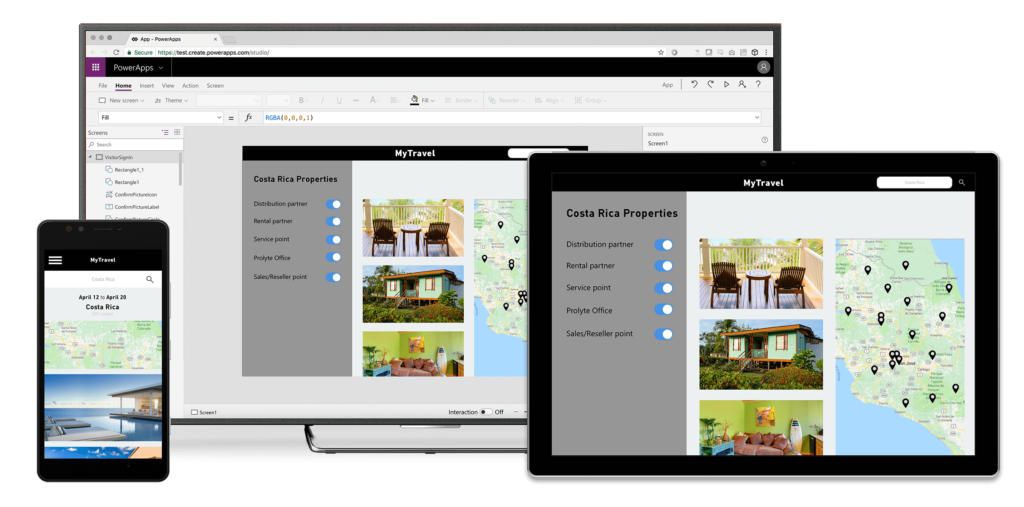
Examples of Power Apps
- Holiday App: Streamline leave requests with a user-friendly application, that can be accessed from any device, laptop, phone or tablet.
- Field Service App: Simplify data access and entry for support technicians working out and about.
- Customer Service App: Create an application that supports your customer service team just the way you want.
- Onboarding App: Create a seamless onboarding process as your business grows.
- Event Registration App: Simplify event management by creating an app to keep everything you need in one space.
- Employee Expenses App: Track employee expenses in an easy-to-use application for quick and efficient reporting.
- Task Management App: Assign, track, and update tasks across teams with a centralised app that keeps everyone aligned.
Plus, so much more. Power Apps have limitless capabilities – check out a few more examples in our blog on Power App examples.
3) Power Automate: Efficiency at the core
Power Automate, previously known as Microsoft Flow, supports businesses by streamlining processes and automating tasks. Its low-code approach allows users to swiftly create custom workflows or use pre-built templates, boosting efficiency and decreasing manual errors, across Microsoft and third-party applications.
What can Power Automate do?
There are many automations that can be achieved with Power Automate, we have collected some of the ones we have found most useful to our clients.
Discover a few ways Power Automate can support your business:
- Automate the saving of email attachments to SharePoint
- Automate email or teams message notification once a new case is raised
- Automate sending of key reports and statistics
- Automate recording of information from survey responses to Dynamics 365
- Automate leave calendar/approvals
- Automate archiving tasks that have not been touched for a set amount of time
- And so much more!
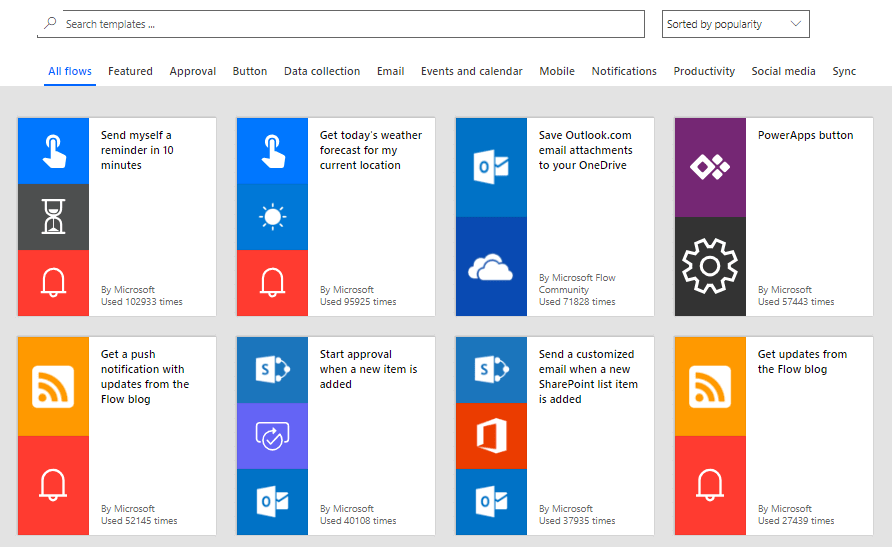
Take a look at our ‘7 processes you should automate with Microsoft Power Automate’ blog to discover how else Power Automate can help your business.
4) Power Pages: Elevating external engagement
Power Pages allows businesses to create, host, and manage modern external-facing business websites. It can be used to create essential elements like customer support portals or registration forms, where access to site-stored data is required for optimal functionality.
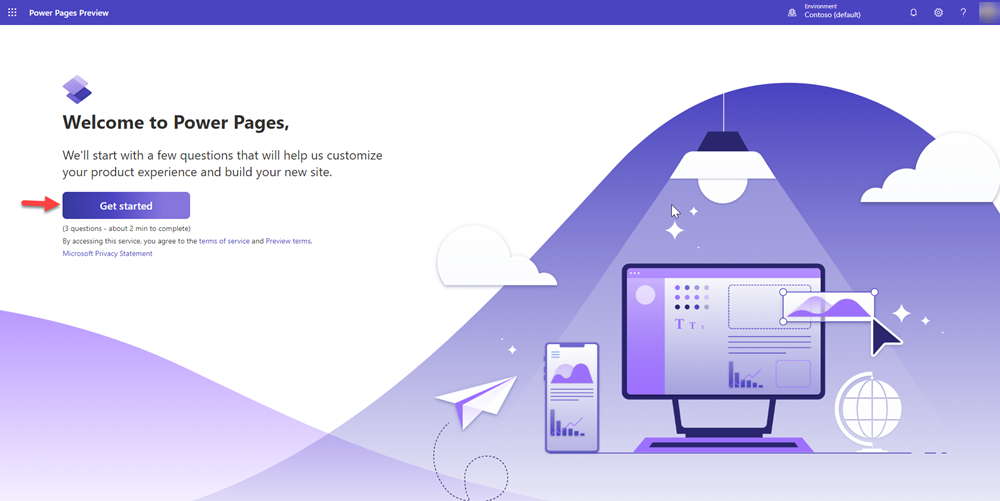
What can Power Pages do?
- Branded Websites: Create a professional, secure, and engaging website for your users
- Customer Portals: Design branded portals for your users to interact with externally.
- Seamless Integrations: With Power Pages, you can interact seamlessly with other Microsoft solutions like Dynamics 365
- User-friendly interface: Communicate with your customers and partners efficiently through your site.
5) Copilot Studio: Conversational AI at your service
Microsoft Copilot Studio enables organisations to create intelligent, conversational chatbots without writing a single line of code. It combines the core functionality of AI-driven chatbots with powerful enhancements for a more personalised, dynamic experience.
With deep integration across the Microsoft ecosystem and advanced AI capabilities, Copilot Studio makes bot development faster and more efficient. Businesses can quickly deploy chatbots that:
- Handle customer and employee queries in real-time
- Automate routine tasks and workflows
- Improve service delivery for internal teams or external users
- Provide consistent, personalised responses across multiple channels
Copilot Studio not only reduces the time and cost of building chatbots but also empowers teams to scale their digital engagement and improve overall user satisfaction. Find out more about Copilot Studio in our blogs on the key Benefits of Copilot Studio and Understanding Microsoft Copilot Studio, to discover how this tool can boost your organisations daily operations.
Benefits of the Power Platform
The Microsoft Power Platform is a versatile solution. Empowering businesses with analytics, application development, workflow automation, and enhanced user engagement, it becomes the key to thriving in a dynamic, data-driven landscape.
Read our ‘Top 10 Benefits of the Power Platform’ to uncover more undeniable benefits of the Power Platform to your business.
Get in touch
If you would like to learn more about any of the applications within the Power Platform, please get in touch with us. We’d be happy to talk you through further details and explore how this can fit in with your business, or you may have an idea you’d like to discuss.
Fill out the contact form and a member of our team will be in touch shortly, or if you’d prefer, email us at info@pragmatiq.co.uk or call us on 01908 038110.
Want to keep in touch?
Sign up to our newsletter for regular updates.
"*" indicates required fields