

Exploring the Different Types of Microsoft Copilot
Exploring the Different Types of Microsoft Copilot
February 16th, 2026
6 min read
The Types of Microsoft Copilot: Choosing the Right AI Solution for Your Organisation
Microsoft’s Copilot range is transforming how organisations work, sell, serve and innovate. But with multiple Copilot solutions available across the Microsoft ecosystem, understanding the different types of Microsoft Copilot, and which one is right for your organisation, can feel complex.
From productivity tools embedded in Microsoft 365 to autonomous AI agents in Dynamics 365, each Copilot solution is designed to solve specific business challenges.
In this blog, we break down the key Microsoft Copilot solutions, what they do, and where they deliver the greatest business impact.
Interested in exploring the Autonomous agents in Copilot Studio? check out our blog: Autonomous Agents in Copilot Studio
Microsoft 365 Copilot – AI for Everyday productivity
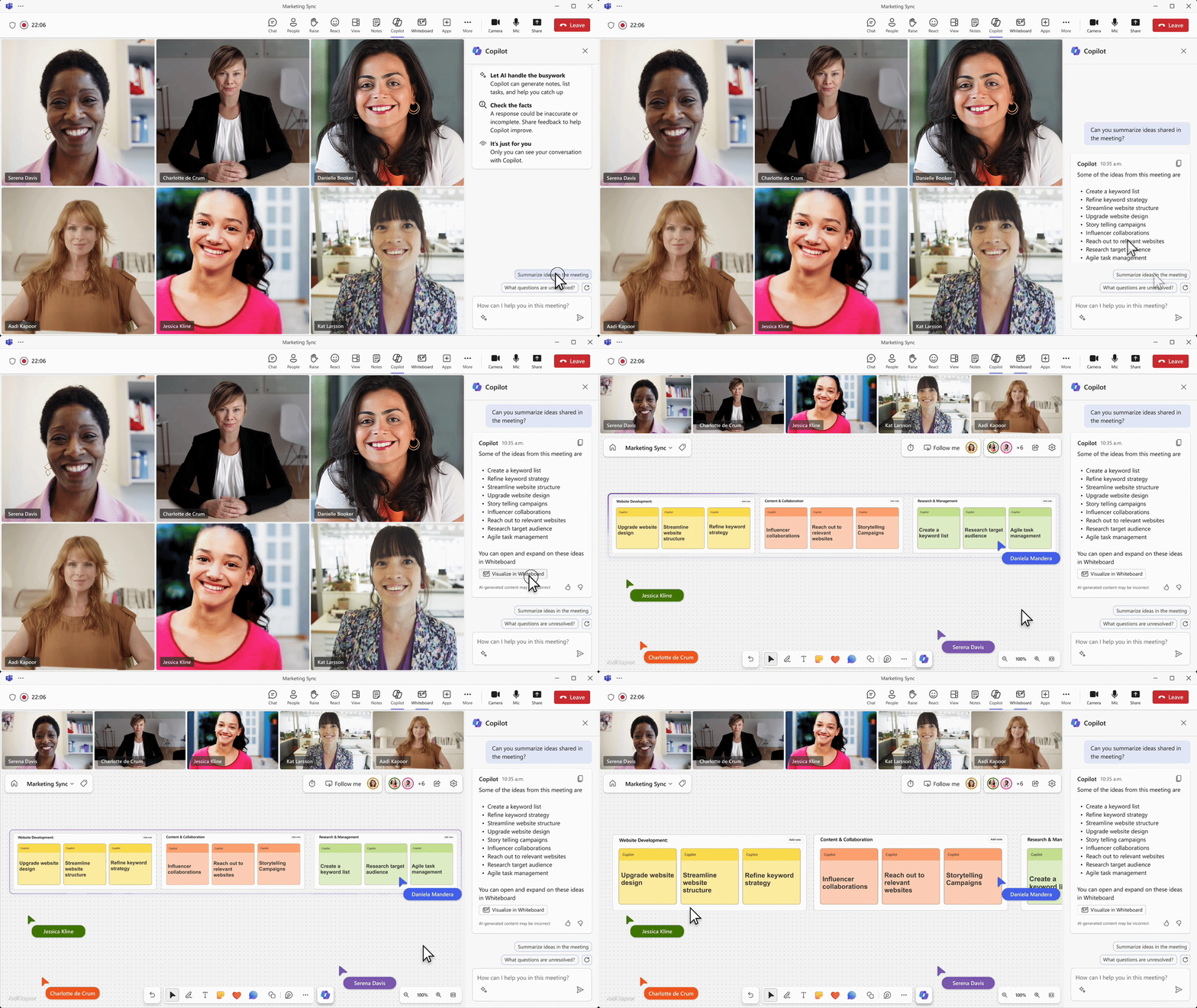
PowerPoint and Teams, embedding AI into daily workflows.
It enables employees to:
- Draft and summarise documents in Word
- Analyse and visualise data in Excel
- Create presentations in PowerPoint
- Recap meetings and generate actions in Teams
Rather than replacing work, it accelerates it. By reducing time spent on repetitive tasks and surfacing insights from business data, Microsoft 365 Copilot allows teams to focus on higher-value, strategic activities.
Best suited for: Organisations looking to enhance productivity across all departments.
Microsoft Dynamics 365 Copilot – AI for Sales, Service and Operations
Copilot in Dynamics 365 embeds AI directly into CRM and ERP processes, supporting teams working with customers, opportunities and operational data.
In sales, Copilot can:
- Generate follow-up emails
- Analyse pipeline data
- Recommend next best actions
- Qualify and progress opportunities
In customer service, it can:
- Summarise case histories
- Suggest contextual responses
- Surface relevant knowledge articles
- Improve case resolution speed
Recent advancements introduce specialised AI agents capable of autonomously progressing elements of the sales and service lifecycle – from qualifying leads to supporting transactional deal closure.
By embedding AI into core business systems, organisations can increase win rates, improve customer experience and make faster, data-driven decisions.
Best suited for: Organisations focused on revenue growth, customer experience and operational efficiency.
Interested in learning more about the different Sales Agents? Dive into our blog: From Lead to Close: How Dynamics 365 AI Agents Supercharge Your Sales Process
Microsoft Power Platform Copilot – AI for Automation and Innovation
Copilot in Power Platform brings AI into app development, workflow automation and analytics.
Using natural language prompts, users can:
- Build applications in Power Apps
- Create automated workflows in Power Automate
- Generate reports and DAX formulas in Power BI
- Identify trends and insights from data
This significantly lowers the barrier to innovation. Teams can design solutions quickly without deep technical expertise, accelerating digital transformation initiatives.
When combined with AI Builder and Copilot Studio, Power Platform enables scalable, intelligent automation across the organisation.
Best suited for: Organisations aiming to streamline processes and build tailored solutions rapidly.
Microsoft Copilot Studio – Build Custom AI Agents
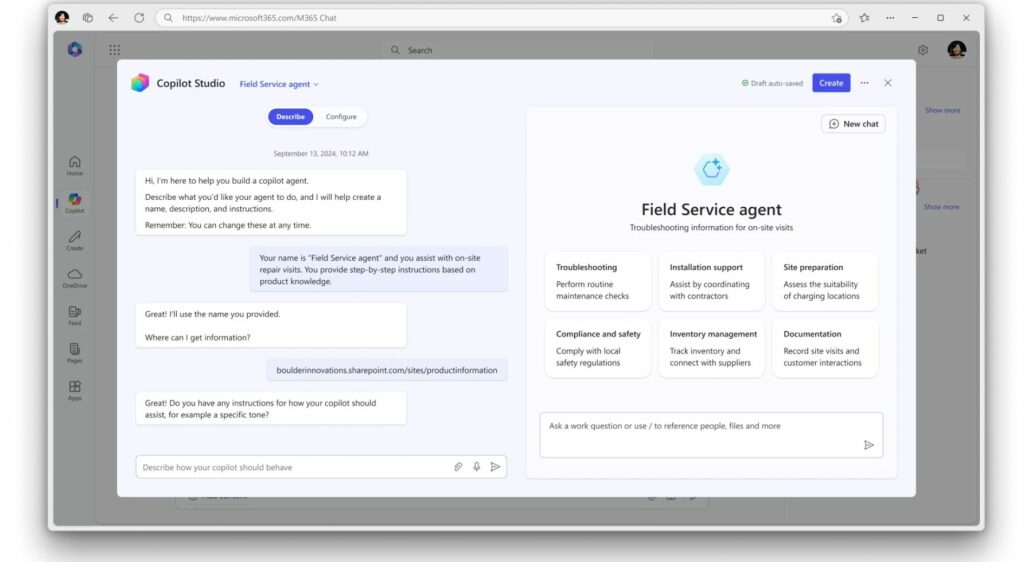
Copilot Studio is Microsoft’s platform for designing and deploying custom AI agents that can act across systems and automate multi-step processes.
Organisations can create:
- Goal-driven autonomous agents
- Cross-system workflow agents
- Conversational AI assistants
- Process automation solutions
Copilot Studio integrates with connectors, APIs and Power Automate flows, allowing AI agents to securely interact with internal and external systems.
This is where AI moves beyond assistance and into intelligent execution.
Best suited for: Organisations ready to design tailored AI solutions aligned to unique workflows and strategic objectives.
Want to explore the benefits of Microsoft Copilot Studio for your organisation? Delve into our blog: Benefits of Microsoft Copilot Studio
Industry & Function-Specific Copilots
Microsoft also offers specialised Copilot solutions designed for specific business functions, including Copilot for Sales, Service and Finance.
These provide ready-to-use AI capabilities aligned to common business scenarios, enabling organisations to accelerate adoption without extensive custom development.
They complement broader Copilot deployments and offer a fast route to measurable value.
Governance, Security & Responsible AI
As AI adoption increases, governance becomes critical.
Microsoft supports secure deployment through:
- Role-based access controls
- Data security boundaries
- Responsible AI frameworks
- Administrative oversight tools
This ensures Copilot interacts appropriately with business data, supporting compliance, privacy and responsible usage, particularly important for organisations operating in regulated industries.
How to Choose the Right Microsoft Copilot
Selecting the right Microsoft Copilot solution depends on your organisation’s priorities and where you want AI to deliver measurable impact.
If your goal is improving daily productivity, Microsoft 365 Copilot is typically the best starting point. It enhances document creation, data analysis and collaboration across departments, delivering immediate efficiency gains.
If you’re focused on sales performance or customer service improvement, Copilot in Dynamics 365 provides AI-driven insights, automation and intelligent support directly within your CRM and ERP systems.
If workflow automation and rapid solution development are key priorities, Copilot in Power Platform enables teams to build apps, automate processes and generate analytics using natural language, reducing reliance on technical development resources.
If you’re ready to design tailored AI agents across multiple systems, Copilot Studio offers the flexibility to create autonomous, goal-driven agents aligned to your unique business processes.
Many organisations begin with productivity use cases before expanding into CRM, automation or custom AI agents. The most successful deployments are aligned to clear business outcomes rather than adopting AI for its own sake.
The Business Benefits of Microsoft Copilot
Regardless of where you start, Microsoft Copilot delivers consistent strategic advantages:
Enhanced Productivity
Reduces manual workload and accelerates everyday tasks.
Improved Customer Experience
Provides contextual, real-time support to customer-facing teams.
Data-Driven Decision Making
Surfaces insights that inform strategy and operational improvement.
Greater Agility
Enables organisations to adapt processes and scale innovation quickly.
Faster Onboarding
Acts as an always-available knowledge assistant, reducing training time.
Intelligent Automation
Moves beyond task assistance to end-to-end process optimisation.
Unlocking the Full Potential of Microsoft Copilot [/anchor
Microsoft’s Copilot ecosystem offers more than AI features – it provides a strategic opportunity to transform how your organisation operates.
Whether you’re exploring Microsoft 365 Copilot, enhancing revenue performance with Dynamics 365 AI capabilities, automating processes through Power Platform, or building bespoke AI agents in Copilot Studio, a clear implementation strategy is essential.
At Pragmatiq, we help organisations identify where Microsoft Copilot will deliver measurable impact, implement it securely, and align it to long-term business objectives.
If you’re exploring the different types of Microsoft Copilot and want to understand what’s right for your organisation, speak to our team at info@pragmatiq.co.uk or call 01908 038110.
Let’s turn AI potential into tangible business outcomes.
Want to keep in touch?
Sign up to our newsletter for regular updates.
"*" indicates required fields