

How to integrate Power BI with Dynamics 365 CRM for better insights
How to integrate Power BI with Dynamics 365 CRM for better insights
October 22nd, 2025
4 min read
Every conversation, email, and deal in your CRM tells part of your business story. Power BI helps you see the full picture by turning everyday customer data into clear, actionable insights that help teams work smarter, spot trends earlier, and make confident decisions.
Today, speed, accuracy, and foresight are what set businesses apart, and integrating Power BI with Dynamics 365 CRM isn’t just about better reporting. It’s about giving people the right insights at the right moment, so they can act with confidence.
Why Power BI + Dynamics 365 CRM is a winning combination
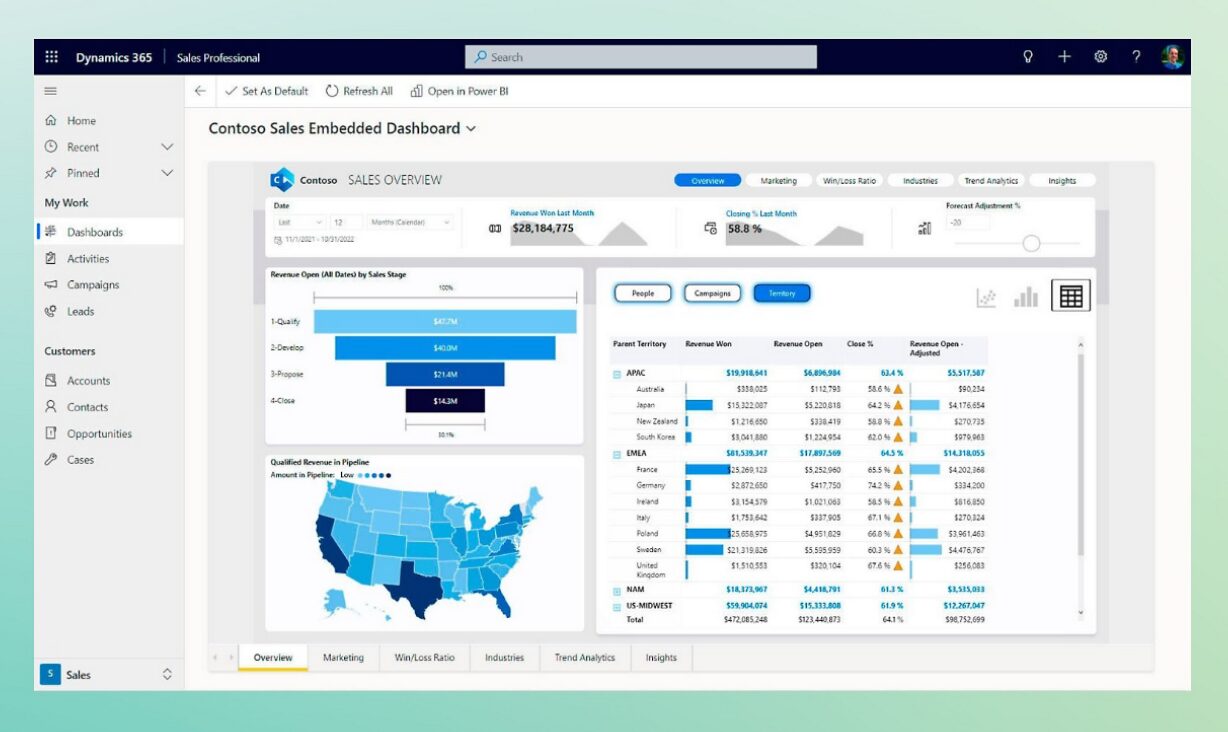
Dynamics 365 CRM is a powerful hub for managing sales, customer service, operations and marketing. But data alone doesn’t guarantee better outcomes. Without clear, actionable reporting, patterns can be overlooked and opportunities missed.
Power BI changes that by transforming CRM data into interactive dashboards and reports.
This means:
- Tracking sales performance in real time.
- Identifying at-risk customers early.
- Spotting trends in lead conversion and campaign success.
- Monitoring service KPIs to boost response times and satisfaction.
- Interactive AI powered insights through native copilot in Power BI
It’s the difference between reacting to problems and anticipating them, which helps teams to make faster, more informed decisions. Find out more about Power BI in our expert guide, download today!
How the integration works
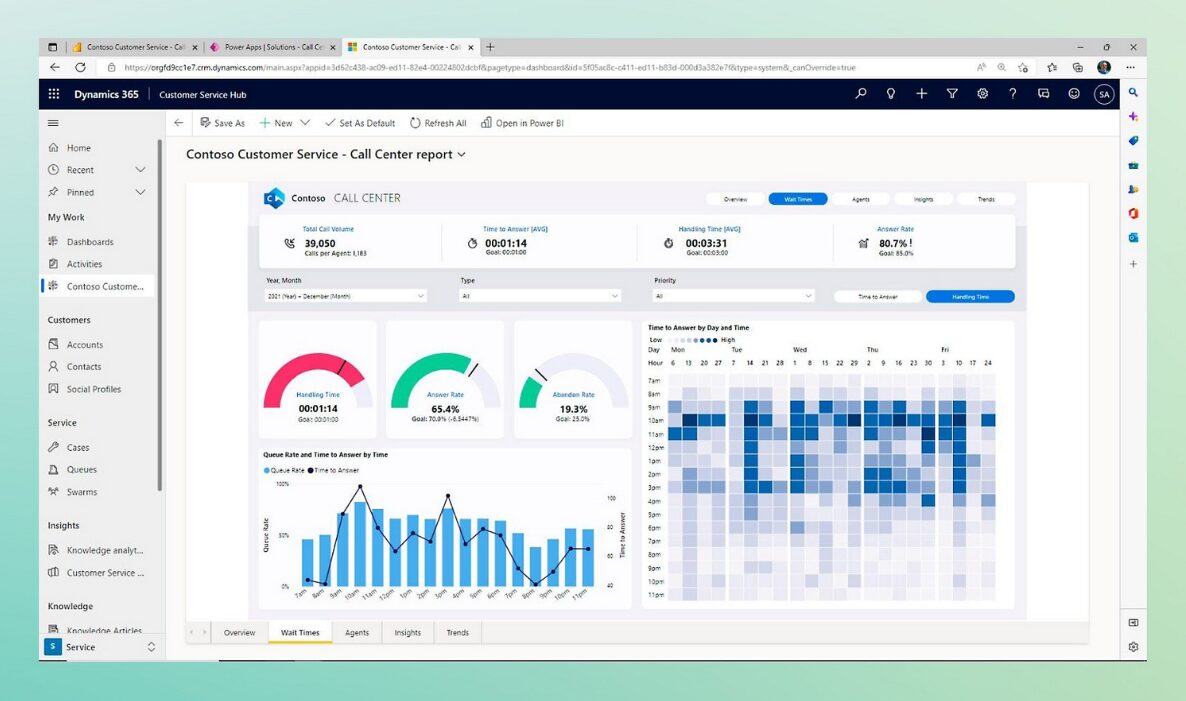
Getting started is simpler than you might think. Power BI connects directly to Dynamics 365 CRM through a built-in connector, so you can start creating reports without complex coding or manual exports.
A typical setup includes:
- Connecting Power BI to Dynamics 365 CRM via the native connector.
- Importing or streaming data for live analysis.
- Customising dashboards to focus on your business priorities.
- Sharing insights securely across your organisation.
With scheduled refreshes or real-time streaming, you can trust that what you’re seeing is always the most up-to-date information. This seamless connection ensures teams spend less time managing data and more time acting on it.
From insight to action
The real value comes when insights directly shape what your team does next.
- A sales leader sees declining engagement with a key client in the morning dashboard and assigns follow-up tasks immediately.
- A customer service team spots a spike in unresolved cases and reallocates resources before delays impact satisfaction.
- Marketing analyses live campaign results and pivots strategy mid-way through, increasing ROI.
By embedding Power BI visuals directly in Dynamics 365 CRM, you remove the friction of switching between tools, meaning teams can go from insight to action in seconds.
James Place Case Study
“With Power BI, we’re able to look at trends across centres and understand things like what day of the week we have more referrals on, which can then inform decisions we are making when opening new centres. Additionally, we can easily demonstrate to our funders where their money is being used and the life-changing impact it is having.” – James’ Place
Explore the full case study to see how Power BI has supported an organisation like yours to automate daily tasks, remove manual work and allow the organisation to focus on what matters most, those in need!
Getting started
Whether improving sales forecasting, tracking service levels, or gaining deeper marketing insight, integrating Power BI with Dynamics 365 CRM lets you start small and scale as needed.
At Pragmatiq, we help organisations align CRM and analytics setup with strategy, turning data into measurable business impact.
Contact us at info@pragmatiq.co.uk or call 01908 038110 to explore how we can help you bring your CRM data to life.
Want to keep in touch?
Sign up to our newsletter for regular updates.
"*" indicates required fields