Benefits of integrating LinkedIn Sales Navigator with Dynamics 365 Sales
Benefits of integrating LinkedIn Sales Navigator with Dynamics 365 Sales
March 25th, 2024
5 min read
Looking to elevate your sales strategy and unlock new opportunities? By integrating LinkedIn Sales Navigator with Dynamics 365 Sales, your team can transform the way they connect with prospects – making outreach smarter, faster, and more personalised.
In this article, we’ll explore the key benefits of combining these two powerful platforms to deliver more effective field service solutions:
- Enhanced prospect insights
- Streamlined workflows
- Simplified activity tracking
- Seamless prospect identification
- Proactive data validation
- Direct access to LinkedIn Sales Navigator within Dynamics 365
- Leverage mutual connections for warmer introductions
Key benefits of using Microsoft Dynamics 365 Sales with LinkedIn
1. Enhanced Prospect Insights:
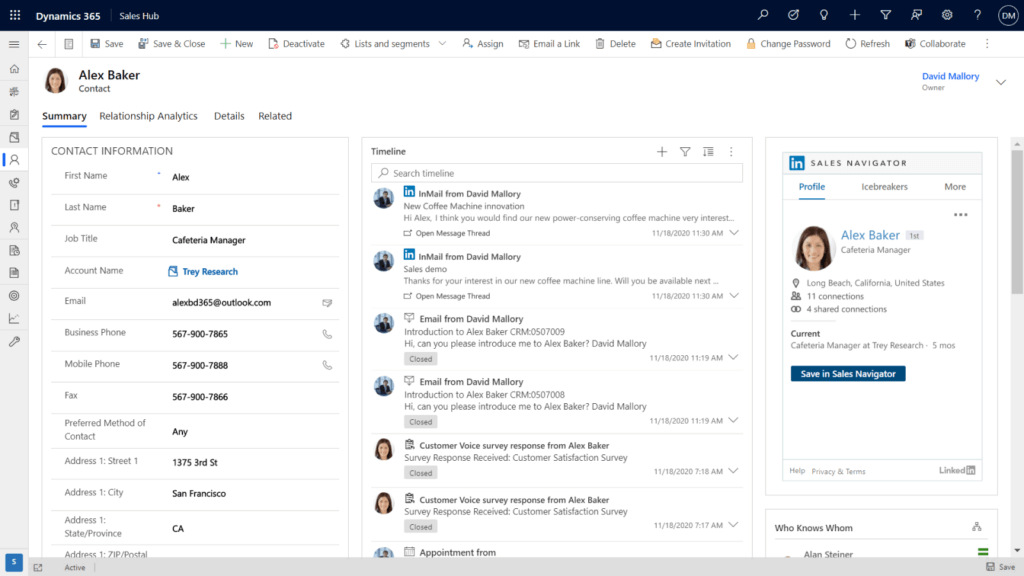
By combining Microsoft Dynamics 365 Sales with LinkedIn Sales Navigator, your organisation can centralise a wealth of data from both platforms within one solution. In doing so, your sales team can easily find all the information they need regarding prospects, making it easy to personalise their approach and effectively address prospect needs.
2. Streamlined Workflows:
The integration between Dynamics 365 Sales and LinkedIn Sales Navigator simplifies seller workflows by bringing everything into one place. Instead of switching between multiple applications or hunting for data across different systems, employees can access key insights, identify new leads, and take action – all within a single solution. This seamless experience helps reduce friction, boost productivity, and enable more efficient, informed engagement with prospects.
3. Simplified Activity Tracking:
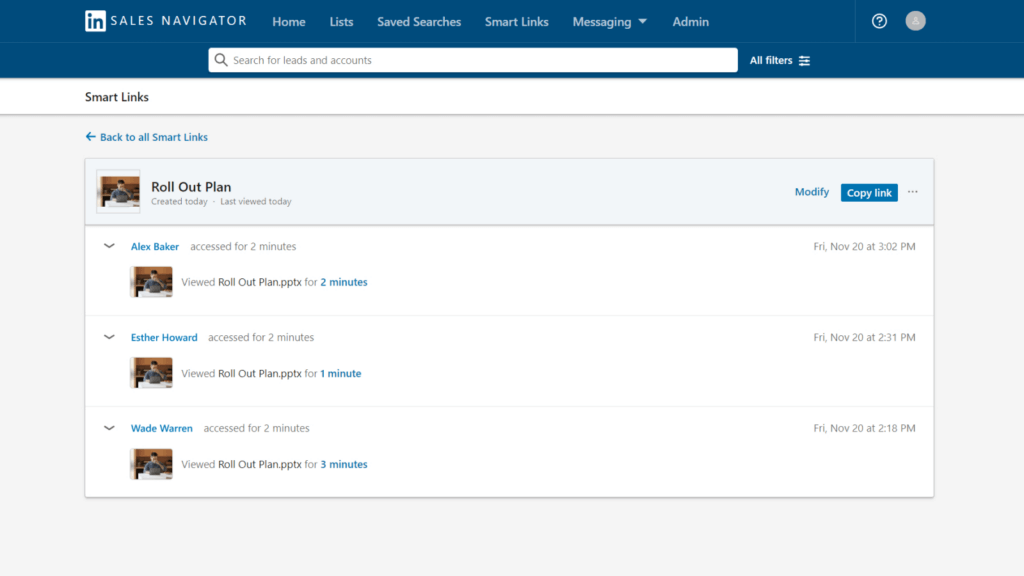
Sales reps often spend valuable time manually logging their LinkedIn interactions into their CRM. With seamless activity tracking – covering InMails, profile views, shared links, and more – those updates are automatically captured within Dynamics 365. This not only saves time but also ensures a complete view of prospect engagement, helping reps communicate more effectively, build stronger relationships, and uncover new sales opportunities.
4. Seamless Prospect Identification:
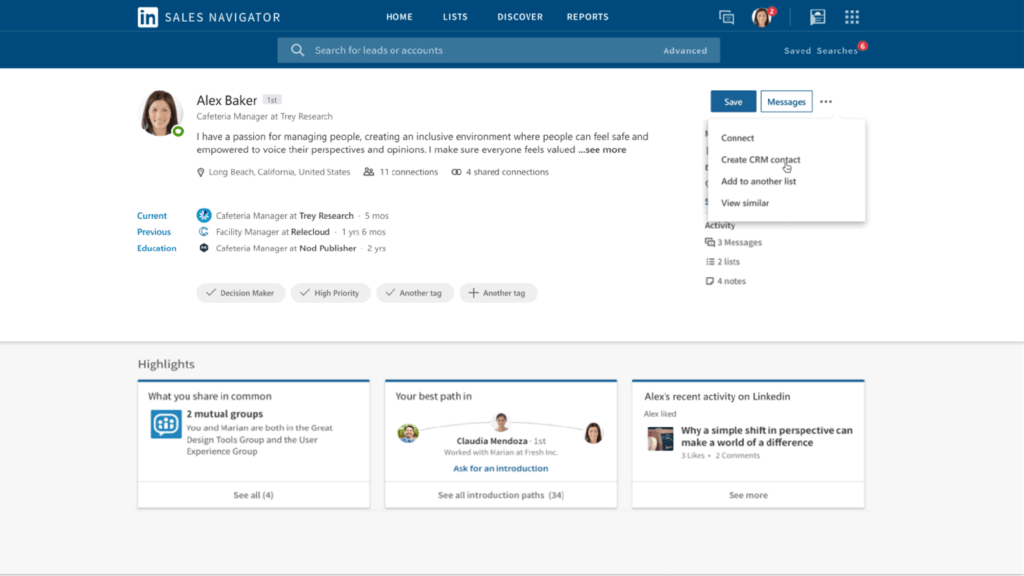
Sales Navigator’s advanced search filters allow sales professionals to quickly pinpoint potential leads based on criteria like industry, company size, and job title. Once identified, these leads can be saved directly to Dynamics 365 Sales with a single click – removing the need for manual data entry.
Additionally, when leads are added to the CRM, the system automatically cross-references existing records to prevent duplication. This helps maintain clean, reliable data and ensures your sales team is working with accurate contact information.
Just note: this functionality is available with the LinkedIn Sales Navigator Advanced Plus license, and CRM sync must be properly enabled for full activity writeback and lead saving features.
5. Proactive Data Validation:
It is possible to see and use data gathered in LinkedIn Sales Navigator directly within Dynamics 365 Sales. This ensures that your sales teams are notified of any changes in prospect details, such as job title, current company, and more. Utilising this feature supports your employees with staying as up-to-date as possible on any changes to prospect information, making it easy to identify new opportunities and potential risks early on, enabling informed decisions and timely action.
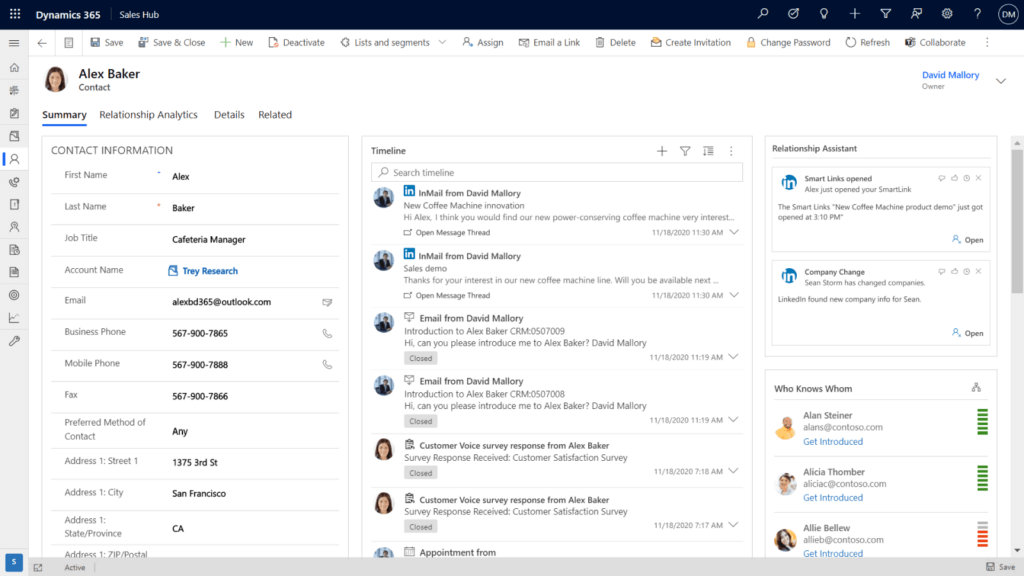
6. Streamlined access to LinkedIn Sales Navigator in Dynamics 365:
The integration of LinkedIn Sales Navigator with Dynamics 365 empowers your sales teams by granting them seamless access to LinkedIn directly within the Dynamics 365 application. This functionality enables your teams to send connection requests and InMails without the need to switch between applications. By consolidating these features within a unified system, your team can streamline their workflow, ensuring that all interactions and activities are captured efficiently.
7. Leverage Mutual Connections:
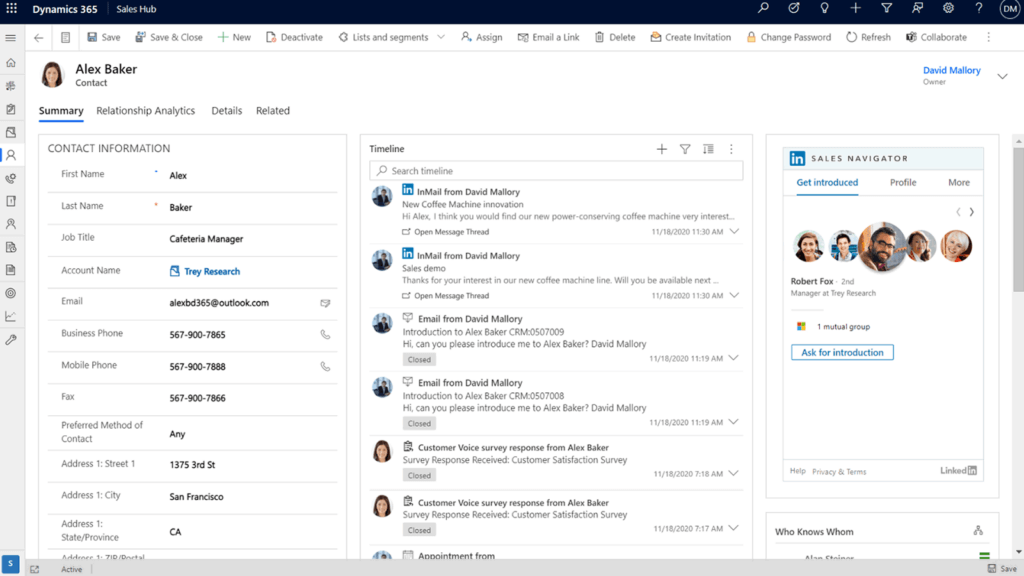
Your sales team can utilise their mutual connections on the LinkedIn Sales Navigator interface within Dynamics 365 Sales to easily reach out to potential customers. They can find people they know mutually on LinkedIn and ask for warm introductions to prospects who are also in the CRM. By tapping into these shared connections, they can build trust and credibility right from the start. This strategy not only grows their network but also boosts the chances of landing important sales deals through trusted referrals.
Ready to Elevate Your Sales Strategy?
Integrating LinkedIn Sales Navigator with Dynamics 365 Sales can completely transform your sales strategy and processes, providing numerous benefits to your sales team. To learn more about how Microsoft Dynamics 365 Sales can revolutionise your business, check out our blog on the benefits of Dynamics 365 Sales, or you can reach out to us at info@pragmatiq.co.uk or call us at 01908 038110. Alternatively, you can fill out the contact form or subscribe to our newsletter.
Want to keep in touch?
Sign up to our newsletter for regular updates.
"*" indicates required fields