

Everything you need to know about Power Automate and Power Apps
Everything you need to know about Power Automate and Power Apps
August 18th, 2025
6 min read
Businesses are under increasing pressure to modernise operations, streamline processes, and empower teams to work smarter. In this environment, automation and custom apps aren’t just useful tools – they’re key to driving efficiency, consistency, and innovation.
Microsoft Power Automate and Power Apps, two core tools within the Microsoft Power Platform, allow businesses to automate manual tasks and create tailored applications without needing deep technical expertise. By combining low-code technology with powerful integrations, they open the door to faster, more flexible ways of working.
As automation and low code become central to digital transformation, platforms like Power Automate and Power Apps are playing a crucial role in shaping the future of work.
Understanding Power Automate and Power Apps
Power Automate and Power Apps are two core components of the Microsoft Power Platform, alongside Power BI and Power Pages, a suite designed to help organisations unlock more value from their existing data and systems.
What is Microsoft Power Automate?
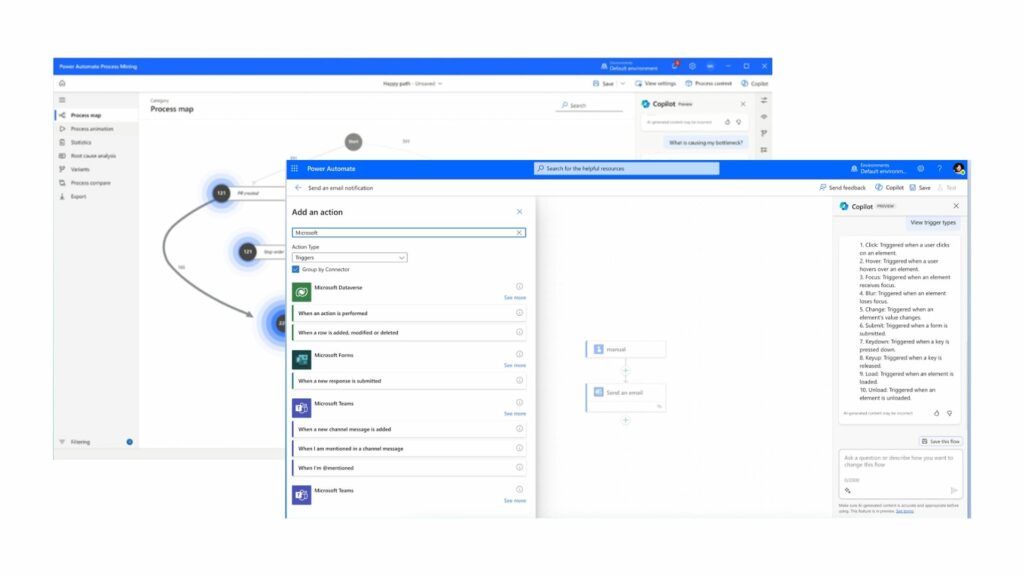
- A cloud based tool that automates workflows between apps and services.
- Handles repetitive tasks like approvals , notifications, file transfers and data sync.
Power Automate connects your favourite apps and services so you can streamline both simple and complex processes. It uses “flows” (step-by-step instructions), to move information, send alerts and carry out tasks automatically.
Key benefits of Power Automate:
- Saves time by removing manual, repetitive work.
- Reduces errors by standardising processes.
- Works across the Microsoft ecosystem, third-party apps, and on-premise systems.
- Runs in the background, so teams can focus on higher value work
Interested in learning what Power Automate could automate for your organisation? Check out our blog: 5 Manual tasks every Non-profit can automate with Power Automate
What is Microsoft Power Apps?
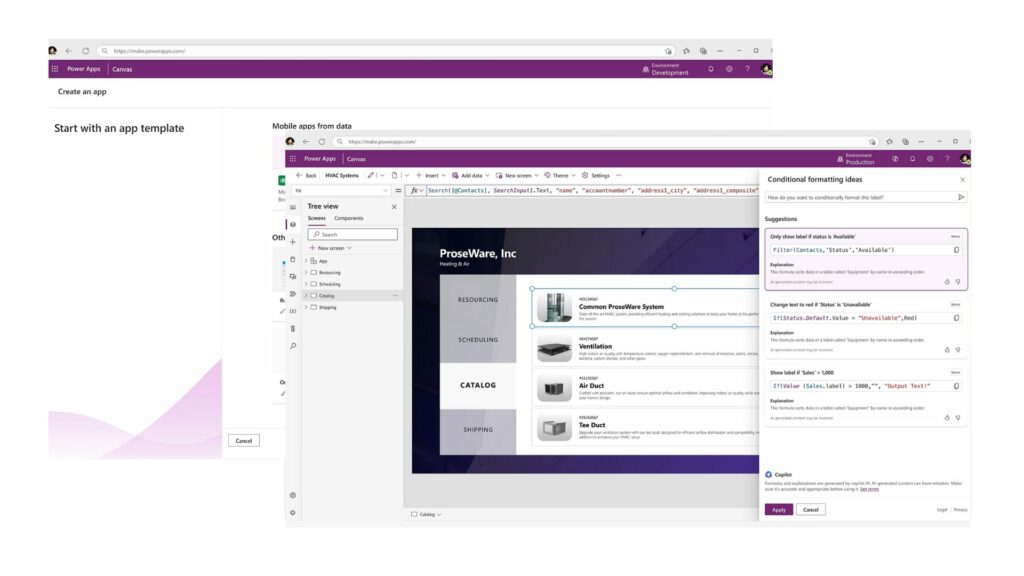
- A platform for building custom business applications.
- Works on desktop, mobile, or in browsers, tailored to specific processes.
Power Apps is used to create bespoke applications that address specific business needs, from improving workflows to enhancing data capture and reporting. The platform enables the development of solutions that integrate with existing systems and provide a seamless user experience, ensuring teams have the right tools to work efficiently and effectively.
Key benefits:
- Transforms manual or paper-based processes into streamlined digital tools.
- Accessible on any device, supporting both office and field-based teams.
- Integrates with the wider Microsoft ecosystem, third-party apps, and hundreds of connectors.
- Flexible and adaptable to evolving business requirements.
Key differences and how they work together
Power Automate focuses on automating processes behind the scenes, handling repetitive tasks like approvals, notifications, and data syncing. Power Apps, on the other hand, provides a user-friendly interface for teams to interact with data and processes, it’s the tool people use to input, track, and manage information.
Used together, they create a seamless solution: for example, a Power Apps app can collect customer information, which then triggers a Power Automate workflow to notify teams, update systems, or start approval processes automatically. This combination ensures both efficiency in workflows and usability for teams, making processes faster, more accurate, and easier to manage.
Real-world impact
Power Automate and Power Apps are helping organisations tackle real business challenges by streamlining processes, reducing errors, and saving time:
- Retail teams: By logging store audits digitally with Power Apps, issues are flagged in real time, improving efficiency and accuracy.
- Charity teams: Automating approvals, notifications, and data updates with Power Automate speeds up donor registrations and volunteer sign-ups, freeing staff to focus on impact.
- Field service workers: Using Power Apps together with automated Power Automate workflows ensures reports are instantly updated and follow-up actions are triggered automatically.
Across industries, these tools are helping businesses reduce friction in their day-to-day operations. Retail teams use Power Apps to log store audits and flag issues in real time. HR teams use Power Automate to streamline onboarding processes and ensure compliance. Field service workers can update reports from their phones and instantly trigger follow-up actions without touching a spreadsheet.
Integration and scale
One of the reasons Power Automate and Power Apps stand out is how well they integrate with your existing Microsoft tools and other applications:
- Seamless Microsoft integration: Works effortlessly with Teams, Outlook, SharePoint, and Excel.
- Third-party apps: Connects with hundreds of other popular services to streamline your workflows.
- Start small, scale fast: Begin with a single process or a basic app, then expand as you uncover new opportunities.
For larger needs, tools like Microsoft Dataverse provide a secure data platform to underpin your apps and workflows, while Copilot Studio adds AI capabilities to help you build faster and automate smarter.
One of the reasons Power Automate and Power Apps stand out is how well they integrate with existing Microsoft tools like Teams, Outlook, SharePoint, and Excel, as well as hundreds of third-party applications. This allows teams to start small – automating a single process or building a basic app and scale as they discover new opportunities.
As your needs grow, tools like Microsoft Dataverse and Copilot Studio bring even more value. Dataverse provides a secure data platform to underpin your apps and workflows, while Copilot adds AI capabilities to help you build faster and automate smarter.
Getting started
You don’t need to overhaul your systems to see results. Many organisations begin by identifying one repetitive task or paper-based process and using Power Platform tools to streamline it. With built-in templates, learning resources, and support from partners, it’s easier than ever to explore what’s possible , whether you’re solving a small problem or building a broader digital solution.
Explore what’s possible
At Pragmatiq, we work closely with organisations to help them unlock the full potential of Microsoft Power Automate and Power Apps. Whether you’re looking to automate a manual process, build a custom app, or scale your Power Platform usage, we’ll work with you to understand your goals and deliver tailored solutions that make a measurable impact.
To start the conversation, get in touch at info@pragmatiq.co.uk or call us on 01908 038110. We’d love to help.
Want to keep in touch?
Sign up to our newsletter for regular updates.
"*" indicates required fields