

What’s New in Dynamics 365 and Power Platform: 2025 Release Wave 2 Highlights
What’s New in Dynamics 365 and Power Platform: 2025 Release Wave 2 Highlights
July 29th, 2025
7 min read
The 2025 Release Wave 2 from Microsoft, rolling out between October 2025 and March 2026, marks an important evolution across Dynamics 365 and Power Platform. Built with an AI-first approach, these updates help organisations automate processes, work more efficiently, and deliver stronger outcomes across departments.
With enhancements to Copilot, AI agents, low-code development, and data integration, every team can benefit. Below is a role-based breakdown of the most impactful features to highlight where the opportunities lie.
Features that help sales teams (Dynamics 365 Sales)
Sales teams often face challenges with lead qualification, inconsistent outreach, and limited visibility into deal progress. This release adds AI-driven tools that simplify workflows and speed up sales cycles.
Key highlights include:
- Sales Qualification Agent – Now connects more deeply with your CRM, giving you more control over how leads are qualified, making it easier to spot which opportunities are most likely to convert.
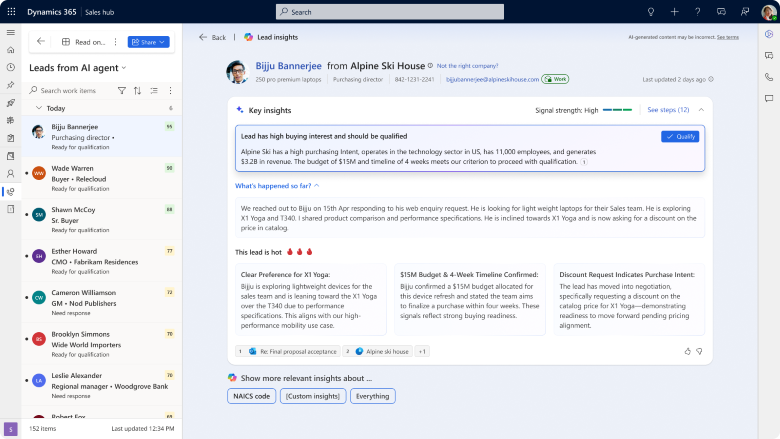
- Research Agent – Improved to give richer, real-time lead profiles by pulling in more relevant details and context from internal and external sources.
- Prioritisation Agent – Smarter scoring now reacts to live customer engagement, helping you focus on the leads that are most active and likely to move forward, all within the updated interface.
- AI Outreach – Can now detect buyer intent, automatically follow up with leads, and schedule meetings, reducing the manual effort for sellers while keeping conversations moving.
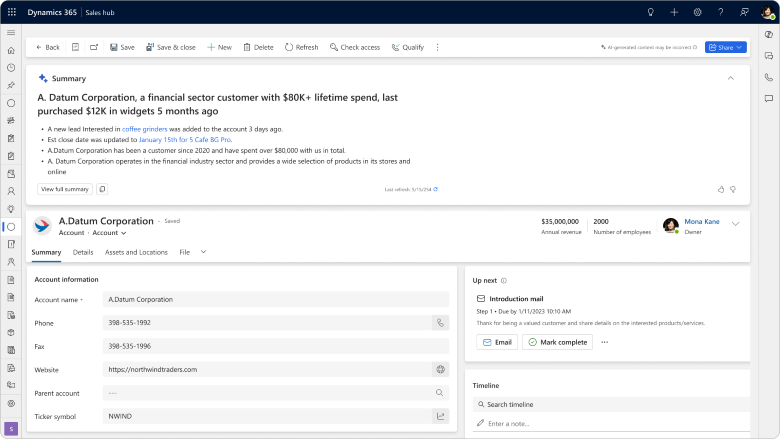
- Copilot summaries in embedded experience – View AI-generated opportunity summaries directly within the record, eliminating the need to switch views. This helps sellers quickly grasp deal context and take action.
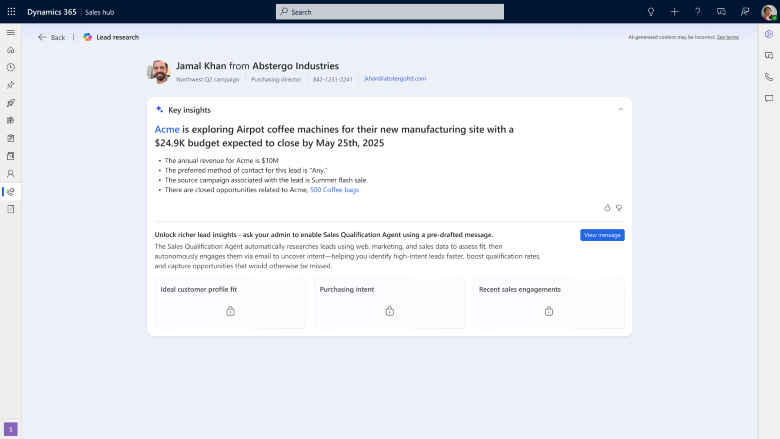
- Insights-first UI – The workspace in Dynamics 365 Sales has been completely redesigned to help sellers work more efficiently. It brings together deal progress, customer insights, risk indicators, and real-time coaching in one clear view.
Features that help Customer service teams (Dynamics 365 Customer Service)
Meeting high customer expectations requires efficient support tools. Wave 2 updates focus on helping agents resolve issues faster with less effort.
Key highlights include:
- Trusted Knowledge Agent – A new tool that gives agents quick, reliable answers from approved sources, tailored to the customer’s specific situation, right when they need it.
- Copilot powered case summarisation – Now even better at pulling together detailed summaries from longer customer conversations, so agents can get up to speed quickly and resolve issues faster.
- Agent Assist enhancements – Improved to suggest smarter next steps and take care of more repetitive tasks automatically, helping agents stay focused on higher-value work.
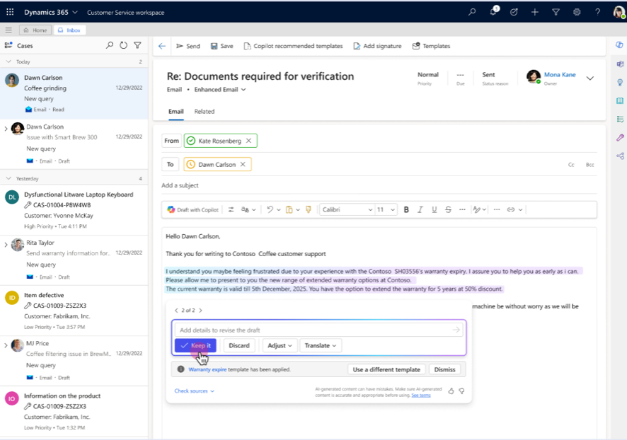
- Copilot-powered email template recommendations – Automatically suggests the most relevant templates based on the agent’s conversation and customer history, saving time and increasing consistency.
Features that help Field (Dynamics 365 Field Service)
Field technicians need quick access to information, optimised schedules, and real-time support. Wave 2 introduces practical features to boost productivity and reduce delays.
Key highlights include:
- Mobile Copilot – Now more powerful, with support for complex workflows and in-the-moment guidance to help technicians while they’re on-site.
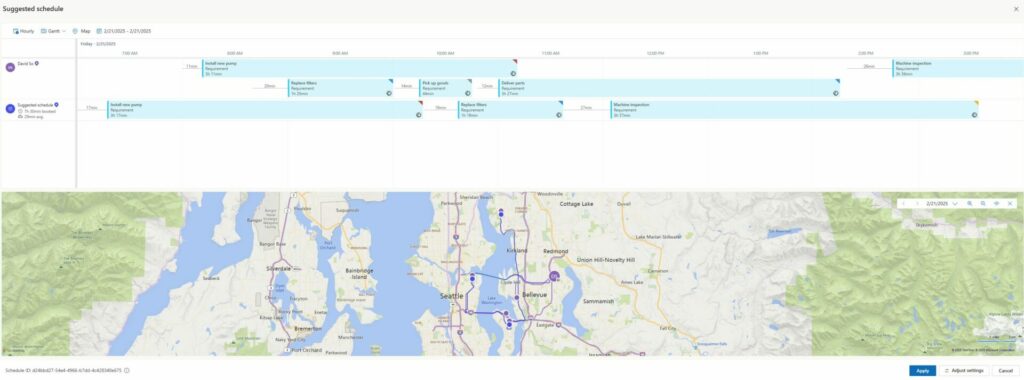
- AI Scheduling Agent – Now enhanced to optimise technician assignments with greater accuracy, the Scheduling Agent uses real-time data such as availability, travel time, skill sets, and job urgency to automatically recommend the most suitable resource. This helps streamline operations, reduce delays, and improve service delivery.
- Work Order Intelligence – A brand-new capability that spots potential delays, recommends the right parts, and highlights risks before a job even begins.
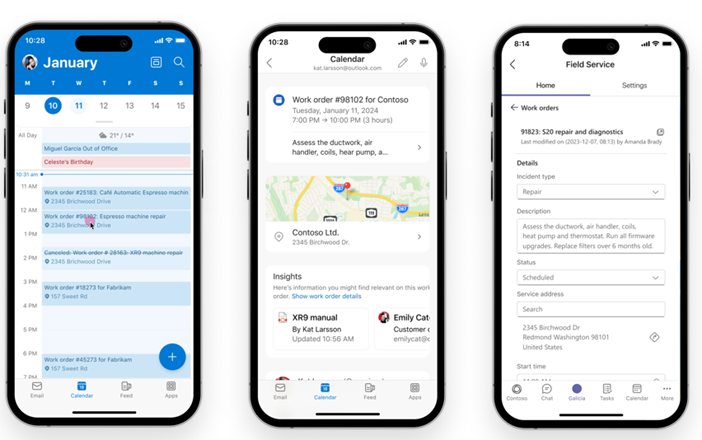
- Bookings integration with Outlook and Teams – Syncs bookings across Teams and Outlook calendars to improve visibility and coordination for both technicians and back-office teams.
Features that help App creators (Power Apps & Power Pages)
Low-code tools and built-in AI make app and website development faster and more accessible, even without deep technical knowledge.
Key highlights include:
- App Agent (Vibe code) – Just describe what you need, or upload a quick sketch, and AI will build the app for you, no coding needed. This feature, known as Vibe code, makes it much easier and faster to create business-ready apps using AI.
- Plan Designer – Work with AI to design full end-to-end solutions, from apps to reports and agents, all in one place. This tool brings together the right AI capabilities to help solve your problem quickly and effectively.
- Agent Feed – A new interface that makes it easy to oversee and collaborate with AI agents on tasks like data entry, visualisation, and summarisation.
- Power Pages enhancements – Build websites faster with ready-made templates and new tools that help manage security and governance.
- Admin Trust and Security Agent – Detect potential risks and compliance violations using AI, helping maintain security and trust across your websites.
Features that help Automation teams (Power Automate)
Automation reduces repetitive tasks and improves efficiency. The 2025 Wave 2 release expands capabilities further, introducing new tools that enhance governance, oversight, and AI-driven automation.
Key highlights include:
- Generative Actions – Just describe what you want to automate, and Copilot will create the flow, now with better natural language understanding and support for more complex tasks.
- Human-in-the-loop – Introduced as part of the new approval and escalation improvements, this feature allows you to build manual decision points into your flows, so people can review or approve actions when needed, particularly useful for sensitive or complex processes.
- Intelligent Document Processing – Powered by enhancements to AI Builder, this feature now supports a wider range of document types and extracts information more accurately, helping teams automate document-heavy workflows more effectively.
- Automation Center – A brand-new central hub for managing automation across your organisation. This space gives you visibility over all flows, helps enforce security and governance policies, and makes it easier to scale automation efforts responsibly.
Features that help you build and manage AI Agents (Copilot Studio)
Organisations are increasingly turning to AI agents to automate support, streamline workflows, and improve user experiences. Wave 2 brings updates to Copilot Studio that make it easier to build, manage and scale intelligent agents across organisations.
Key highlights include:
- Multi-turn conversations – Supports more advanced dialogue flows, letting agents handle branching topics and follow-up questions naturally, improving customer interactions as part of Copilot Studio’s core authoring enhancements.
- Agent memory – Enables AI agents to remember context between sessions, making conversations more seamless and human-like, reflecting the conversational AI improvements in the latest release.
- Data-aware agents – Connects AI agents directly to data sources such as Dataverse, APIs, and third-party systems for smarter, more informed responses, aligned with expanded integration and connectivity capabilities.
- Lifecycle management – Provides tools to easily test, deploy, and monitor AI agents at scale across your organisation, supporting improved agent operations and monitoring introduced in this wave.
Moving towards smarter work with AI
The 2025 Wave 2 release makes AI a natural part of Microsoft tools like Dynamics 365 and Power Platform. This helps your team work faster, spend less time on repetitive tasks, and get better results across sales, service, and more.
If you are interested in how these new features could help your organisation, reach out to us by emailing info@pragmatiq.co.uk or calling 01908 038 110.
Want to keep in touch?
Sign up to our newsletter for regular updates.
"*" indicates required fields